Documents
Text and office documents
Native text is read directly; the parser reads layout and tables.
pdf · docx · doc · docm · odt · rtf · txt · rst · md · mdx · epub · html · xhtml · json
DocsGPT connects SharePoint, OneDrive, Google Drive, Confluence and Amazon S3 to a private AI, and ingests 30+ file formats including scanned PDFs via OCR, so every answer is grounded in the organisation's own documents.
sharepoint · onedrive · google drive · confluence · s3 · upload · url · sitemap · crawler · github
Last updated:
Managed connectors sync content from the systems where documents already live. Each authenticates with the platform's own identity mechanism and pulls only the scope you grant.
Beyond connectors, sources can be added by file upload, remote URL, sitemap, web crawler and Reddit.
upload · url · sitemap · crawler · reddit
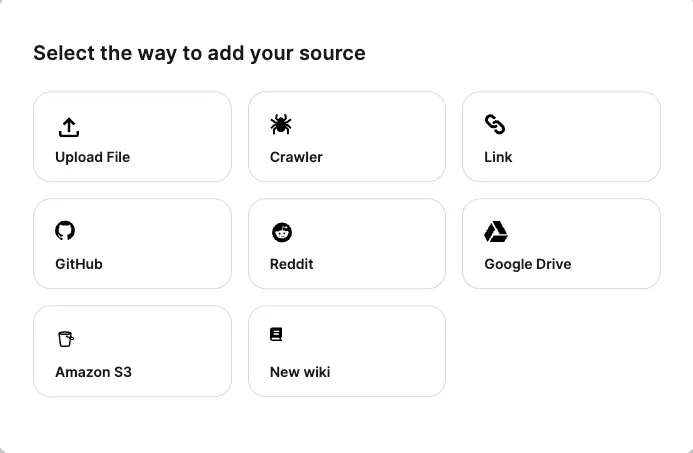
Google Drive and Confluence Cloud sync on demand over OAuth2; SharePoint / OneDrive (Entra ID, Graph API) and Amazon S3 auto-sync since v0.16. S3 takes an access key pair and one bucket, with an optional region and endpoint_url, so S3-compatible stores work. GitHub reads one repository at its default branch, public or with a read-only personal access token, and re-syncs on demand or on a schedule.
| Auth | Scope | Sync | |
|---|---|---|---|
| Google Drive | OAuth2 | Docs, Sheets, Slides, Office files, PDF | on demand |
| SharePoint / OneDrive | Microsoft Entra ID (Graph API) | files | auto-sync v0.16 |
| Confluence Cloud | Atlassian OAuth2 | pages and attachments | on demand v0.16.1 |
| Amazon S3 | aws_access_key_id + aws_secret_access_key | One bucket, required; region and endpoint_url optional, so S3-compatible stores work | auto-sync v0.16 |
| GitHub | Public repository, or a read-only personal access token (GITHUB_ACCESS_TOKEN) for private ones | One repository at its default branch; text and code files, with vendored and generated paths skipped | on demand or scheduled |
Thirty-plus formats are parsed on the DocsGPT backend into text, tables and Markdown before chunking. Audio is transcribed first; images and scans go through OCR.
ZIP archives are an accepted upload too — the archive is unpacked and every file inside is parsed.
Files attached in chat take a few more: tiff · tif · bmp · webp · adoc · asciidoc · vtt · xml
Default limits
Defaults, not product ceilings: on a self-hosted deployment each of the three is an environment variable.
Documents
Native text is read directly; the parser reads layout and tables.
pdf · docx · doc · docm · odt · rtf · txt · rst · md · mdx · epub · html · xhtml · json
Data and slides
Sheets and slides are parsed cell by cell and slide by slide.
csv · xlsx · xls · xlsm · xlsb · ods · pptx · ppt · pps · ppsx · ppsm · pot · odp
Images
Image files and scanned pages go through OCR.
png · jpg · jpeg
Audio
Recordings are transcribed before indexing; the transcript is the source.
mp3 · wav · m4a · ogg · webm
Parsers handle layout, tables and text, with optional OCR. Hybrid handling OCRs only the image regions of a PDF, so a document that mixes typed pages with scans is processed in one pass.
Parsing and OCR are pluggable: several parsers ship with DocsGPT and you can add your own, and the OCR engine is chosen per deployment.
OCR applies to sources and to files attached in chat. For models without native file upload, DocsGPT renders a synthetic PDF so the model still sees the page.
parsers · ocr · image regions only · sources + chat attachments
A scanned PDF (or image attachment) is parsed for layout, tables and text; OCR runs only on the image regions; the result is text and tables in Markdown, which are chunked with the strategy set for that source.
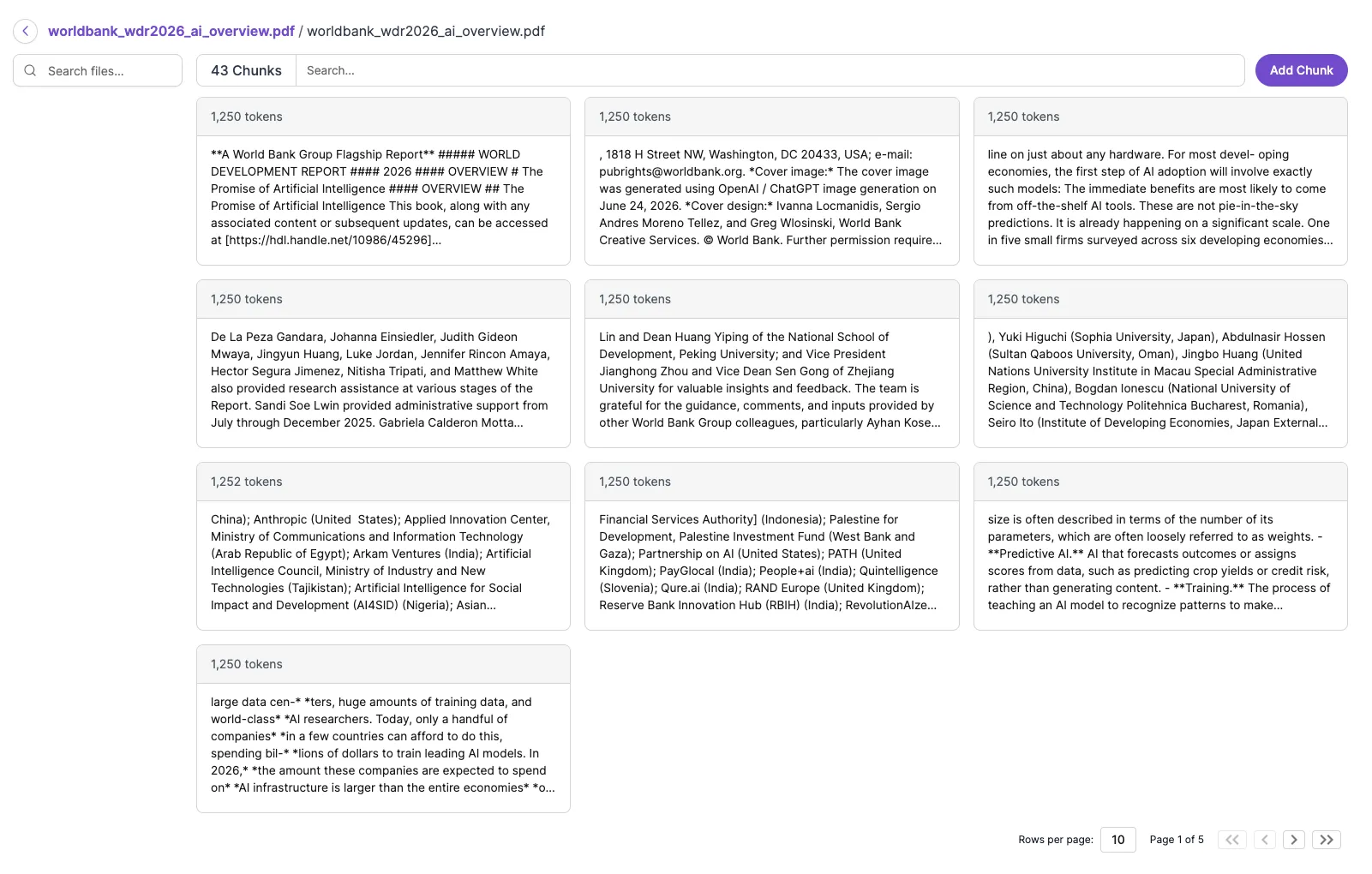
Five chunking strategies, chosen per source. The chunk management UI shows every chunk of a document and lets you add, edit or delete chunks by hand, with a preview before re-embedding.
Strategies
view · add · edit · delete per document · chunks preview
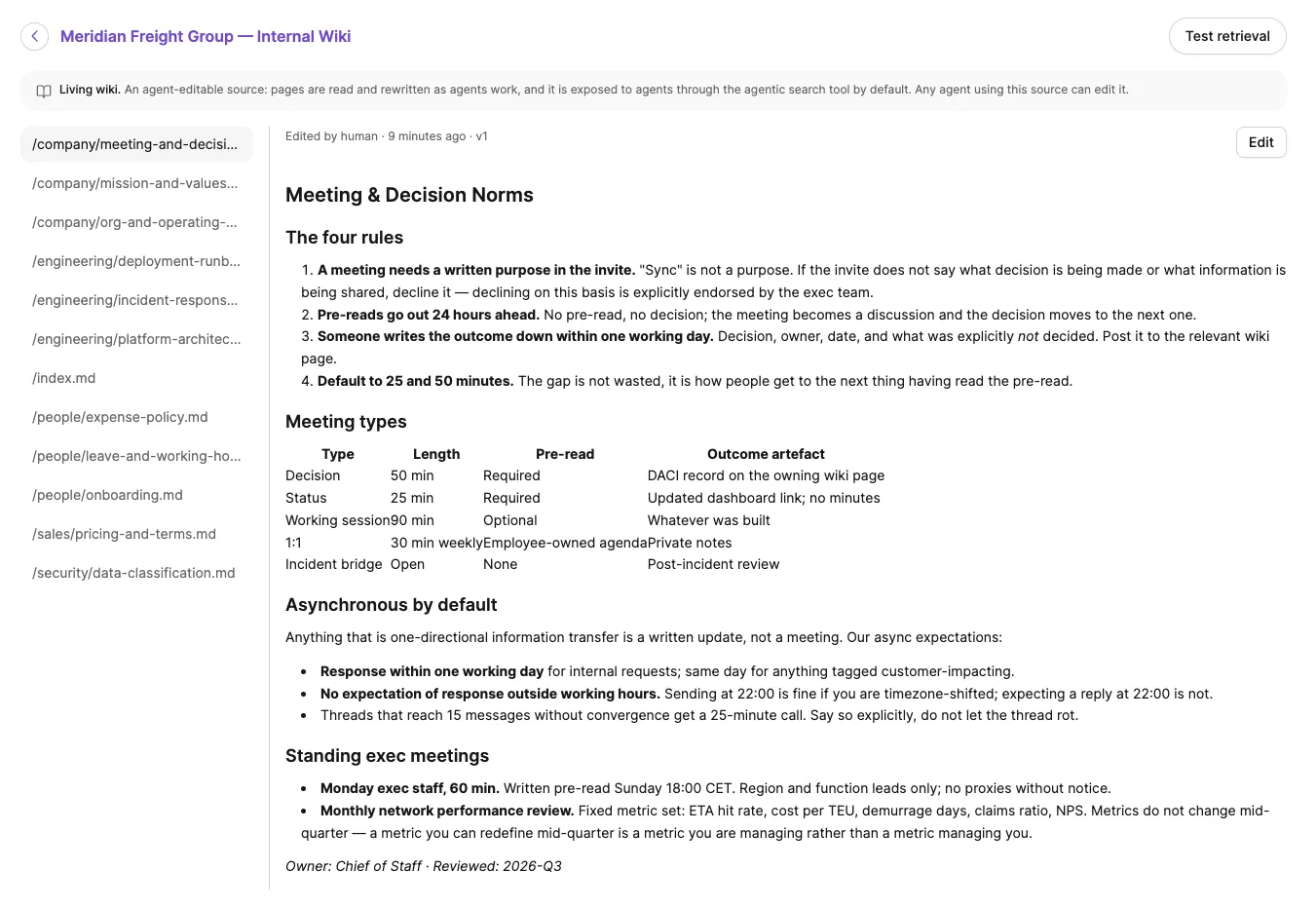
A Wiki source is a set of Markdown pages that agents can create, edit and rename. Every change carries a version history and a provenance stamp, either human or agent, and the source re-embeds automatically so answers stay current.
Existing sources can be converted into Wiki sources (v0.18).
markdown · provenance: human | agent · versioning · auto re-embed · v0.18
Connectors, parsers, OCR and embedding all run in the DocsGPT backend. On Managed, On-premises and Air-gapped deployments, files, OCR output and embeddings never leave your network.
Four deployment postures, one code base. Compare deployment options →
Inside your network
managed · on-premises · air-gapped
Cloud
Arc53 runs the backend; documents are parsed and embedded in Arc53's cloud. All connectors available.
Air-gapped
Same parsers, OCR and embeddings, with no external network. Upload, URL-on-network, crawler and GitHub-on-network sources work; SaaS connectors (SharePoint, Drive, Confluence, S3) are not reachable.
Government infrastructure, local inference
UK Department for Work and Pensions: an internal knowledge assistant on government infrastructure, with local inference.
Source: DWP
Next: how answers are retrieved and cited · automate document processes · run it on-premises · compare with Microsoft 365 Copilot · pricing
A 30-minute demo on your use case, or a free on-premises review with an engineer.