2.5M+ pages · 6 languages
Multilingual EU-law research over 2.5M+ pages, answers in 6 EU languages with full source citations, 100–200 ms retrieval.
Source: LexEU
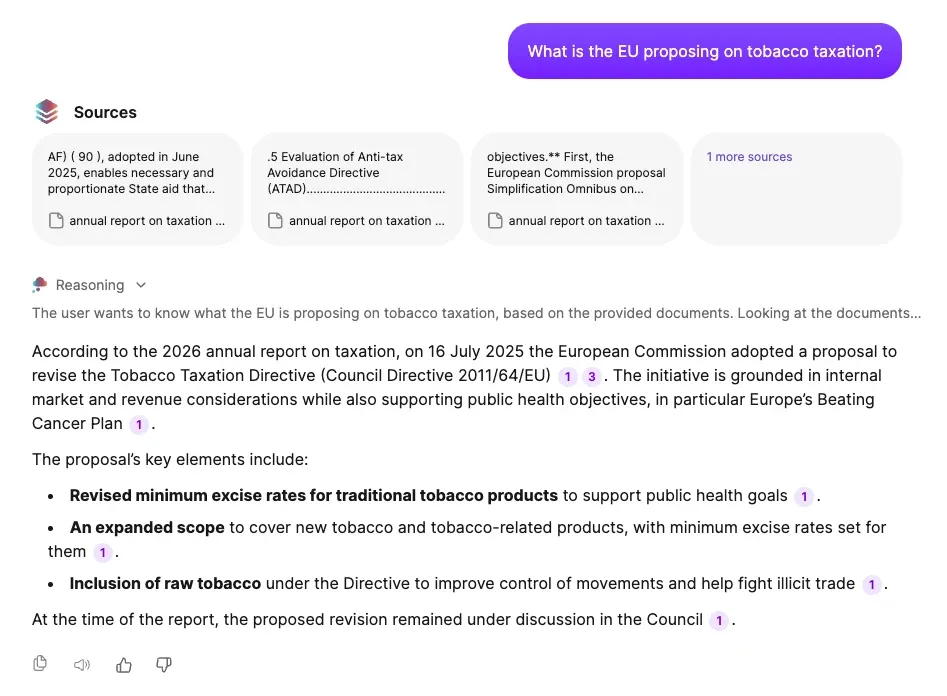
DocsGPT returns RAG answers that cite title, source and page number on every response, using classic vector, hybrid BM25 + vector (pgvector) or GraphRAG retrieval, configurable per source.
classic · hybrid (bm25 + vector) · graphrag · pgvector · citations: title · source · page
Last updated:
Every answer names the title, source and page number of the passages it used, and the source panel opens on that page. Prompt patterns instruct the model to answer only from retrieved passages and to say when they do not cover the question.
A per-source score threshold makes the assistant abstain rather than guess when nothing relevant scores high enough.
citation = title · source · page · score threshold → abstain
Retrieval is chosen per source. Classic vector similarity runs on any vector store; hybrid BM25 + vector and GraphRAG (both v0.18) need pgvector, because the default FAISS store is vector-only. The retriever sits in a fixed pipeline with optional rephrasing, an optional LLM relevance prescreen and context compression before the cited answer.
GraphRAG can be switched on when a source is first ingested or later, on a source already in place. Extraction then runs over the whole source from scratch and can be resumed if it is interrupted; it costs roughly one LLM call per chunk, and the source settings show a token estimate before the run. Until the graph exists, that source is served by classic vector retrieval.
Classic retrieval uses vector similarity and suits short factual lookups. Hybrid (v0.18) adds BM25 keyword search to vector search for exact terms, codes and names. GraphRAG (v0.18) builds an entity/relation graph over the source and traverses it with Personalized PageRank for questions that span many documents.
| Method | Best for | |
|---|---|---|
| Classic | vector similarity | short factual lookups |
| Hybridv0.18 | BM25 keyword + vector | exact terms, codes, names |
| GraphRAGv0.18 | entity/relation graph traversed with Personalized PageRank, multi-hop | questions spanning many documents |
graphrag graph · built at ingest or later · resumable · ~1 llm call per chunk · no graph yet → classic vector
A query (from a user or an agent) is optionally rephrased, then passed to the retriever configured for the source: classic, hybrid or GraphRAG. An optional prescreen step uses an LLM to filter retrieved chunks for relevance. When the context reaches 80 % of the model's limit (the default; configurable), it is compressed, and the answer is generated with citations to title, source and page.
Each source carries its own retrieval settings, so a contracts library and a wiki can be tuned differently and searched together.
Exposure mode decides how an agent sees the source: prefetch retrieves before the model runs; agentic_tool exposes retrieval as a tool the model calls when it decides it needs to.
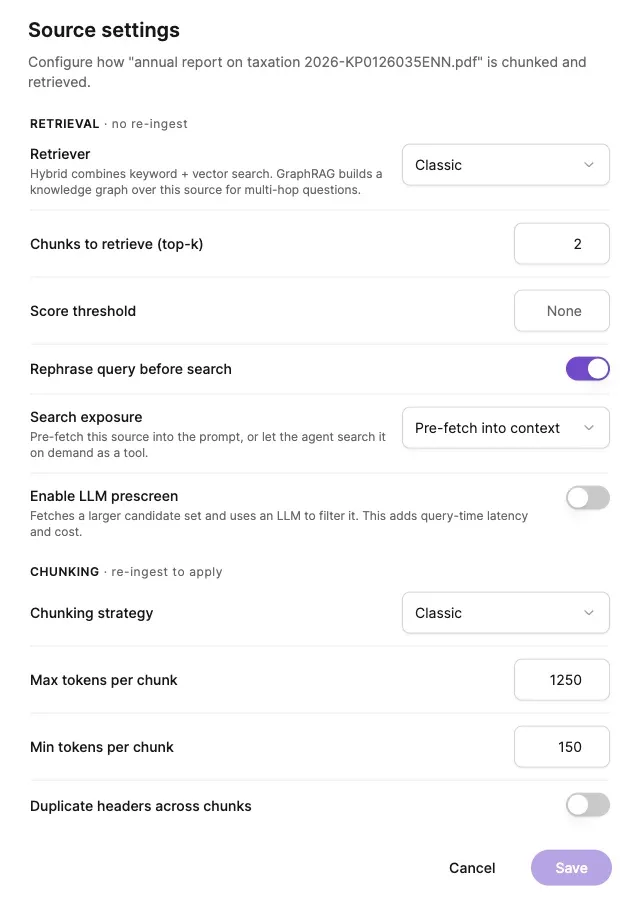
Per-source settings
One question can span every connected knowledge base. Retrieved passages are merged into one context; when that context reaches 80 % of the model's limit, DocsGPT summarises and truncates recursively so the answer still fits. The threshold is 0.8 by default and configurable.
An optional separate compression model keeps the main model's budget for the answer itself.
all sources → merge → compress at 0.8 of context · configurable → answer
One query goes to every connected knowledge base at once; the retrieved passages are merged into a single context. When that context reaches 80 % of the model's limit (the default; configurable), DocsGPT summarises and truncates it recursively, optionally with a separate and smaller compression model, before the answer is generated with citations.
For sources indexed with GraphRAG, the graph view shows the entities and relations the extraction pass found: the structure the retriever traverses when a question spans many documents. Until a source's graph is built, it answers through classic vector retrieval.
entities · relations · built at ingest or later · personalized pagerank
selected node
Master Services Agreement
entity · document
linked documents · 3
An entity graph built at ingest for one GraphRAG source: entities such as the agreement, the counterparty, the addendum and its clauses are nodes; the relations extracted between them are edges. Selecting a node lists the documents that mention it, and questions that span several documents are answered by traversing the graph with Personalized PageRank.
Retrieval, BM25 and graph traversal run inside your PostgreSQL/pgvector instance, and embeddings are computed locally, by default through FastEmbed on ONNX Runtime, with sentence-transformers still supported. Nothing about how answers are retrieved requires an external service.
Four deployment postures, one code base. Compare deployment options →
Inside your network
managed · on-premises · air-gapped
Cloud
Arc53 operates the database and embedding service; retrieval runs in Arc53's cloud.
Air-gapped
Identical retrieval on your own PostgreSQL/pgvector with local embeddings and a local LLM, hybrid and GraphRAG included, with no external network.
2.5M+ pages · 6 languages
Multilingual EU-law research over 2.5M+ pages, answers in 6 EU languages with full source citations, 100–200 ms retrieval.
Source: LexEU
Next: how documents get in · embeddings and vector stores · legal research with citations · compare with Glean · deployment options · pricing
A 30-minute demo on your use case, or a free on-premises review with an engineer.