Skip to content

AI document workflow automation with human-in-the-loop

DocsGPT's visual workflow builder automates document processes without code: AI agents, code, shared state and If / Else branches, with human approval where it matters. Runs start from chat, the API, a webhook or a schedule, and each one can hand back the files it produced.

start · ai agent · set state · if / else · code · note · end · shared state

Last updated:

app.docsgpt.cloud — Workflow preview

Seven node types

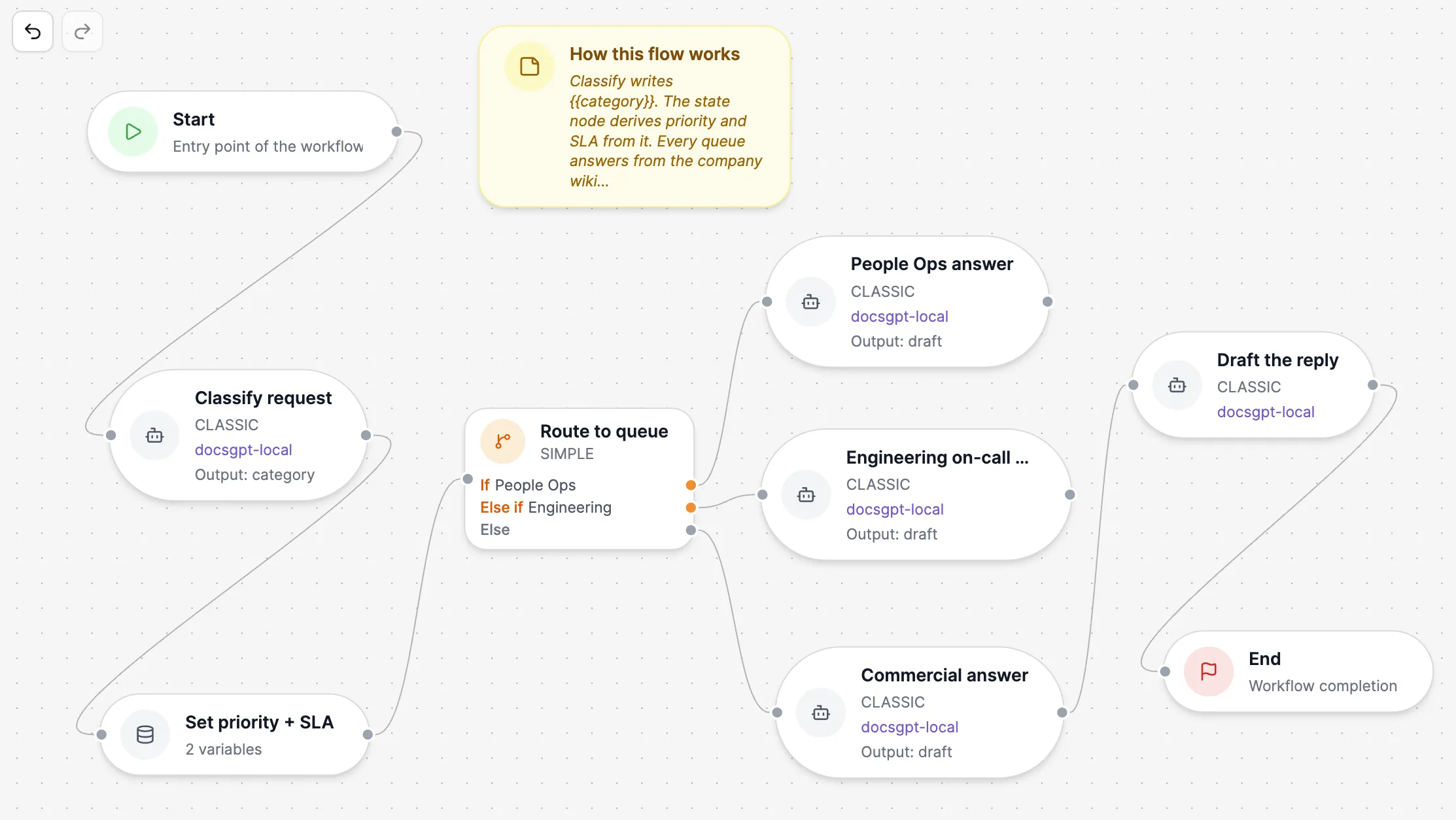
Drag nodes onto the canvas and connect them. Each AI Agent node carries its own model, prompt, tools and knowledge, can work as a Classic or a Research agent, and can return structured JSON for the next step to use.

Notes sit on the canvas beside the steps they explain, and undo and redo keep editing safe.

start · ai agent · set state · if / else · code · note · end

app.docsgpt.cloud — Agents › Workflow
The workflow canvas for a customer renewal desk: the node palette on the left, and a flow that extracts the requested terms, scores them in a Code node, sets the approver in a Set State node and routes by approval tier in an If / Else node to four AI Agent nodes that each write a memo, with two notes explaining the flow.
app.docsgpt.cloud — Agents › Workflow
The workflow canvas for a customer renewal desk: the node palette on the left, and a flow that extracts the requested terms, scores them in a Code node, sets the approver in a Set State node and routes by approval tier in an If / Else node to four AI Agent nodes that each write a memo, with two notes explaining the flow.

Start begins every run, from chat, the API, a webhook or a schedule. AI Agent runs an LLM step with its own model, prompt, tools and knowledge. Set State writes shared variables. If / Else branches the run, in Simple mode or with CEL. Code runs a Python script in the sandbox. Note explains the flow on the canvas. End returns the result.

DocsGPT workflow node types
 DoesSet up
Startwhere every run beginsruns from chat, the API, a webhook or a schedule
AI Agentan LLM stepits own model, prompt, tools and knowledge; Classic or Research; structured JSON output
Set Statewrites shared variablesvalues computed with CEL
If / Elsebranches the runSimple mode, no code, or CEL expressions; always an Else
Coderuns a Python script in the sandboxreads the state; files it writes become artifacts
Noteexplains the flow on the canvasfor the people who maintain it
Endreturns the resultthe answer the run hands back

Branch without code

If / Else nodes branch in Simple mode: pick a variable, an operator and a value, and name each branch. Every node has an Else, so no run falls through.

Switch to Advanced for CEL expressions such as confidence < 0.8 && amount > 10000. CEL is side-effect-free, so given the same state a route always goes the same way: a fact you can read, not a model's judgement. The shared state is a set of variables every node can read and write.

simple · advanced (cel) · named branches · else · shared state

app.docsgpt.cloud — Workflow › If / Else
An If / Else node named Route by approval tier, open in Simple mode: branches named Legal review and CFO business case, each comparing the variable review.tier with equals to a value.
app.docsgpt.cloud — Workflow › If / Else
An If / Else node named Route by approval tier, open in Simple mode: branches named Legal review and CFO business case, each comparing the variable review.tier with equals to a value.

Human approval inside the flow

Approval gates hold a response before it is delivered or a tool call before it executes. The reviewer sees the pending item and approves or rejects it in one click; every decision is logged.

The same gates apply across the platform. See guardrails and human-in-the-loop.

gate: response | tool execution · approve / reject · logged

Runs, files and history

Preview runs a workflow beside the canvas and lights up each step as it executes, with the execution details and any files the run produced, such as a spreadsheet or a memo.

Every run is kept in the agent's Logs with its trace, so you can see which step took which branch, alongside message, token, tool and scheduled-run statistics. Workflows export and import as files, so a flow can move between deployments or into version control.

Starts from
chat · api · webhook · schedule
Preview
each step · execution details · artifacts
Logs
traces · usage · scheduled runs
Move
export · import
app.docsgpt.cloud — Agents › Logs
The Logs tab of the renewal workflow agent: messages, tokens, tool calls, run success and feedback over 30 days, with charts for messages, token usage, scheduled runs and tool usage.
app.docsgpt.cloud — Agents › Logs
The Logs tab of the renewal workflow agent: messages, tokens, tool calls, run success and feedback over 30 days, with charts for messages, token usage, scheduled runs and tool usage.

How it runs privately

Workflow runs, shared state and run history stay in your own database. Code nodes run in the same sandbox as artifacts and code execution, inside your network.

Four deployment postures, one code base. Compare deployment options →

Inside your network

  • workflow engine · shared state
  • run history and traces
  • code node sandbox
  • approval queue

managed · on-premises · air-gapped

Cloud

Arc53 operates the engine and sandbox; runs and history are stored in Arc53's cloud.

Air-gapped

Same engine, state and history in your database; AI Agent nodes use a local LLM; Code nodes use the self-hosted sandbox. No external network.

Examples

24 h → 16 min

A large Central European commercial bank processes 10,000+ inbound documents a day; time-to-action fell from 24 hours to 16 minutes, with over 99.5 % classification accuracy, running fully air-gapped on the bank's existing NVIDIA T4 GPUs.

Source: EU bank, name under NDA

1–2 days → ~5 min

Transfer-document review that took 1–2 working days (P95) now completes in about 5 minutes, with 12 deterministic and agent checks and human approval for uncertain cases.

Source: Bank (POC), name under NDA

Next: agent types and tools · guardrails and approval gates · generated files and the sandbox · banking and financial services · deployment options · pricing

Frequently asked questions

What is a human-in-the-loop AI workflow?

A workflow in which a person approves or rejects specific steps (an answer before it is sent, or a tool call before it executes) instead of the model acting alone. In DocsGPT, approval gates sit inside the flow, take one click, and every decision is logged.

How does an AI document classification workflow work?

Start → Classify (AI Agent) → Extract (AI Agent) → Decide (If / Else on the shared state) → End. Low-confidence cases branch to human approval before the end; high-confidence cases go straight through.

Do I need to code to build an AI workflow?

No. Nodes are placed and connected on a visual canvas, and If / Else branches in Simple mode by picking a variable, an operator and a value. CEL expressions and the Code node are there for when a formula or a script is the clearest step.

Can a workflow use different models per step?

Yes. Each AI Agent node has its own model, prompt, tools and knowledge, so a small local model can classify and a larger one can extract, in the same run.

What starts a workflow?

A message in chat, a call to the API, a webhook from another system or a schedule. The same workflow serves all four, and every run is kept in the agent's Logs.

See DocsGPT on your documents

A 30-minute demo on your use case, or a free on-premises review with an engineer.